Showing posts with label End of Year. Show all posts

Wednesday, June 10, 2015

ILL Statistics due June 19th


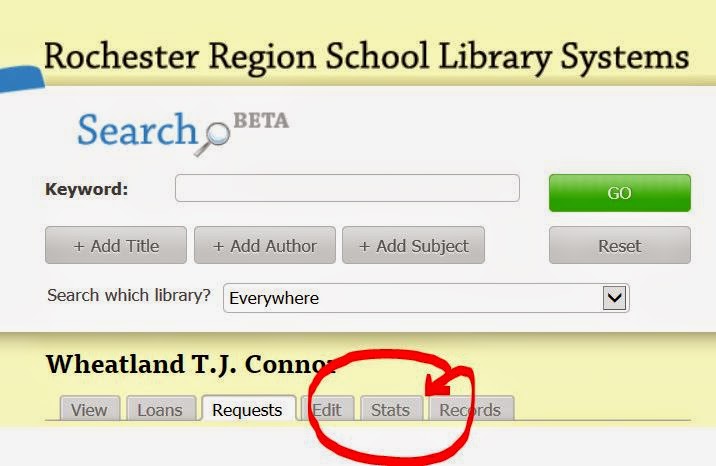
ILL Statistics are due by Friday, June 19th.Find them in your Five Systems under the Stats tab. Click here for submission form. 


Tuesday, June 9, 2015

Destiny and End of the School Year

It's the second week of June!

Before librarians and staff leave for the summer, there are library automation tasks to complete.

  • Turn off any automated email notices going to staff, students and ILL patrons.
  • Holds & Reserves - Decide if you need to delete them or leave active for the start of the next school year.  
  • Some libraries need to submit reports with statistical information at the end of year. Do you have what you need? If not, please contact us.
  • Please inform the Library Automation Team if the library will be open and/or circulating during the summer. This allows maintenance to be scheduled when it will not interrupt library operations. If the library will be used for summer school, let us know. 


Tuesday, May 19, 2015

End of Year: Ceiling Date & Fixed Date

Back Office>Library Policies>Patron Types

Ceiling Date
A ceiling date overrides the calculated due date if the ceiling date is earlier than the calculated due date.
A ceiling date also overrides a Fixed due date if the ceiling date is earlier.
A commonly used ceiling date is a week or two before the last day of school so that all items are returned before the last day of school, no matter what their calculated due date (like 14 days) would be.
On the day after the ceiling date, checkouts revert to the normal loan period. 

Fixed Date
To use a specific due date for checkouts of items belonging to a circulation type, enter that date here. Usually used for long term equipment, set the loan period of any of the circulation types to Fixed.
Make sure to change this date each year. Destiny® does not do so automatically. 


Monday, June 17, 2013

End of year TO DO list for Destiny

Before librarians and staff leave for the summer, there are library automation tasks to complete.
  • Turn off any automated email notices going to staff or students.
  • Holds & Reserves - Decide if you need to delete them or leave active for the start of the next school year.
  • Please inform the Library Automation Team if the library will be open and/or circulating during the summer. This allows maintenance and upgrades to be scheduled when it will not interrupt library operations.
  • Generate the needed reports for statistical information.
You can find more information here:
 

Monday, May 20, 2013

End of Year - Reporting


Some libraries want to submit reports to their administrators with statistical information at the end of the school year. Here are some ideas:

To find the number of items added to the collection during the school year: Reports>Library>Title & Copy list. Choose from the dropdown choices: ‘Date Copies Added’, ‘After the Date’. You can choose to display the report in XL format or as a PDF.

To find the items deleted/weeded: Reports>Library Reports> Weeding Log. Select the date ranges needed; by month, school year, calendar year.

Circulation statistics. Circulation>Library Information. Choose a date range.

BEDS information: Reports>Library Reports>Statistics>Collection Statistics Summary

 
If you'd like more information or have questions about reporting features in Destiny, do not hesitate to contact the Library Automation Team.


Wednesday, May 1, 2013

End of Year - Ceiling Date


It's May!
Back Office>Library Policies. Click the edit icon to change Ceiling Date. Once you go PAST that date, Destiny reverts to regular check out!
 

Wednesday, May 16, 2012

End of year - Circulation - "Ceiling Date"

The Ceiling Date overrides the normal due date calculated by Destiny if the ceiling date is earlier than the calculated due date. A ceiling date also overrides any fixed due date.
Some use the last day of school so that all items are due on the last day of school, no matter what their calculated due date would be. Others want all items back in the library sooner.
Make sure to change this date each year. Destiny increments the year if needed, but the date may not be correct for your school year. It might fall on the wrong day of the week.
To change the ceiling date: Back Office>Library Policies. Destiny opens on Patron Type. This will be the easiest location for you to use because most libraries have fewer patron types than circulation types. Change the Ceiling Date for each Patron Type and Save. 
NOTE: Once past the Ceiling Date, Destiny reverts to regular circulation parameters, like Faculty can check out books for 30 days.